
Read Pre-Graded Scores
Scan written exam papers (1–50 questions), speaking/listening scales, or (+/-) classroom participation sheets already evaluated by you—either via batch PDF or app-free wireless phone camera (/cam).
Windows Desktop App
Designed for K-12 teachers in Türkiye with privacy first. Hawk Göz reads pre-graded open-ended exam (OYSS), speaking/listening rubric, and classroom participation scores already evaluated and written by the teacher from PDFs or a phone camera (/cam), flags potential mismatches with 4-way cross-checking, builds a single-page A4 Excel archive, and transfers verified scores via 100% one-way pre-checked entry.
Two lightweight tools that move you cleanly from marked paper sheets to a verified Excel archive and e-Okul in minutes.
Scan written exam papers (1–50 questions), speaking/listening scales, or (+/-) classroom participation sheets already evaluated by you—either via batch PDF or app-free wireless phone camera (/cam).
Windows Desktop AppPotential reading mismatches, missing student numbers, and paper total discrepancies are flagged with colour and icons. Export a signature-ready single-page A4 Excel (.xlsx) archive in one click.
Instant Verification · Single-Page ExcelPaste your copied score table into the extension on e-Okul OYSS or Quick Entry screens. Question Order Alignment and G / K / M support fill every box cleanly—and you always click Save yourself.
Setup Tip: For the full workflow, install 1. the Microsoft Store Desktop App first, then add the extension for your browser: Chrome Web Store for Chrome, Opera, Brave, and Yandex Browser, or Microsoft Edge Add-ons directly for Microsoft Edge. The extension activates exclusively on e-Okul score entry screens.
Setup GuideSupported Assessment Formats, Verification Shields & Accessibility Scope:
From batch PDF score recognition to e-Okul OYSS transfer and triple safety shields, every step stays transparent.
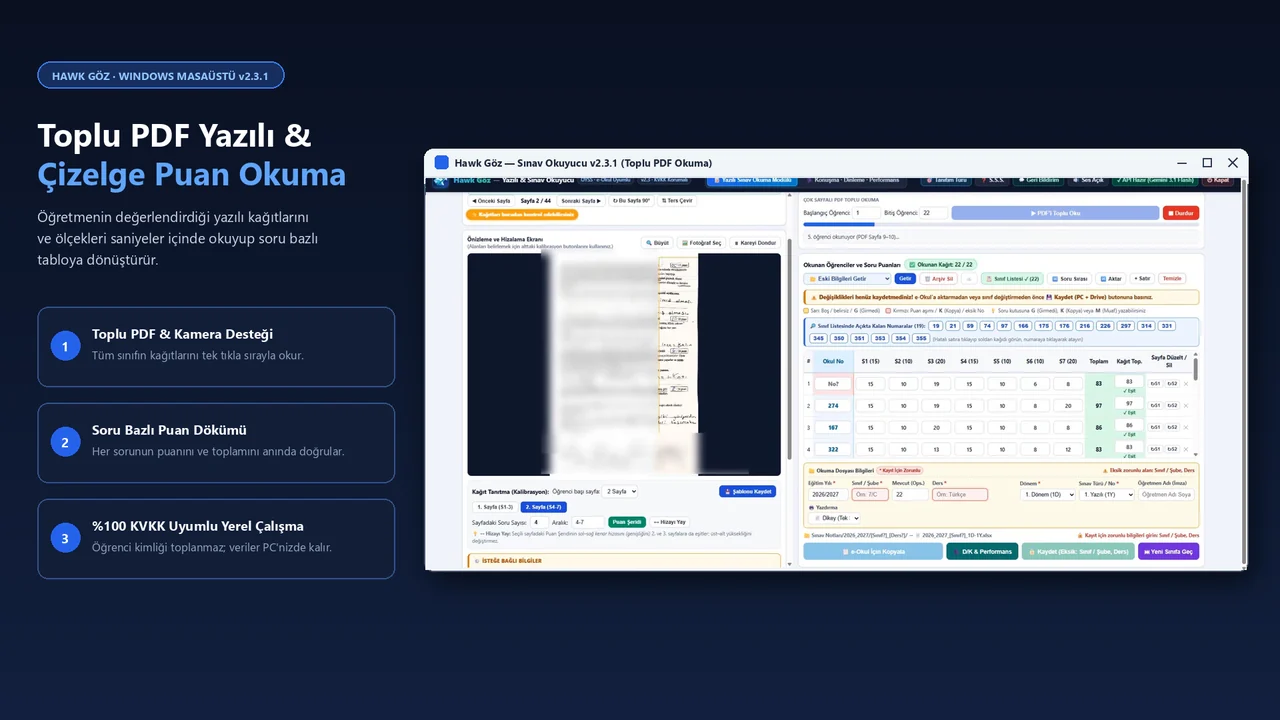
Batch multi-page PDF or local phone camera (/cam) consolidates all pre-graded class scores into one table and cross-checks against paper totals.
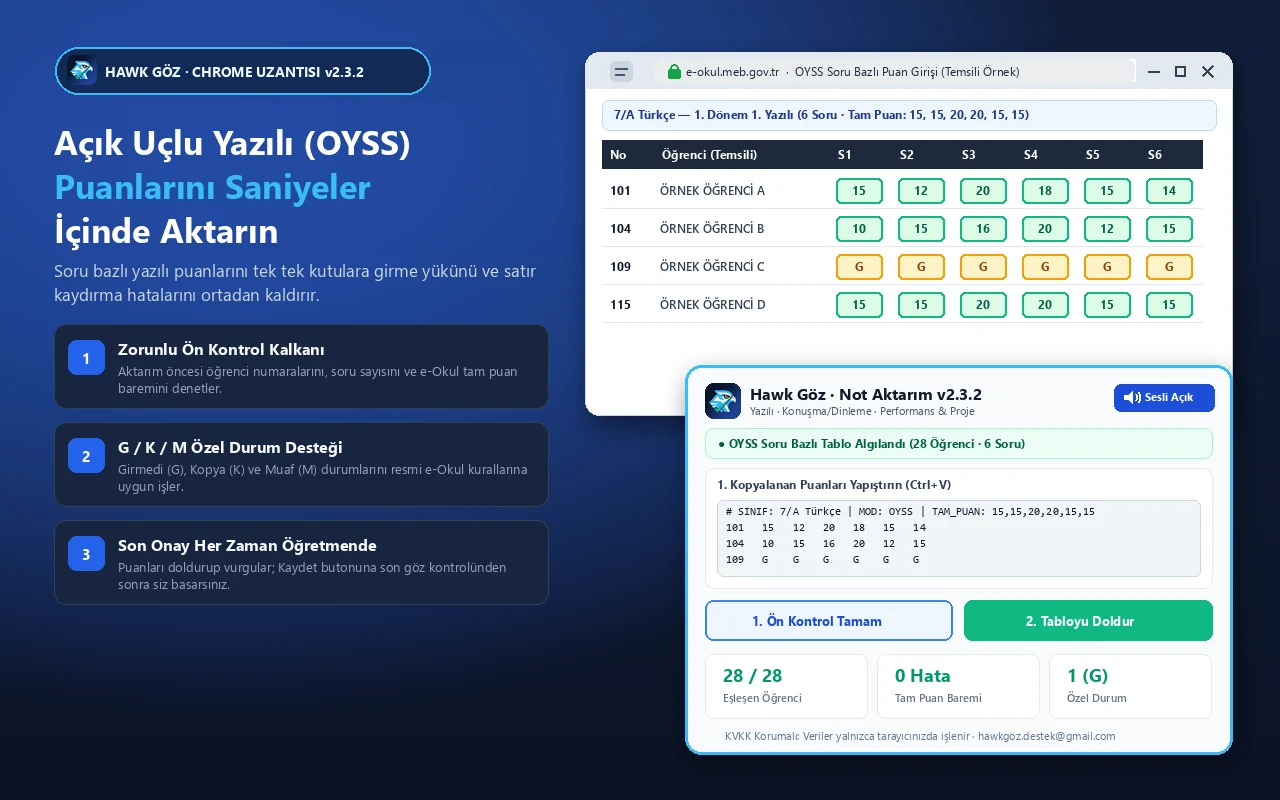
Browser Extension: Mandatory pre-checks, Voice Guide (Alt+S), G/K/M status handling, and exact row alignment eliminate line-skipping mistakes.
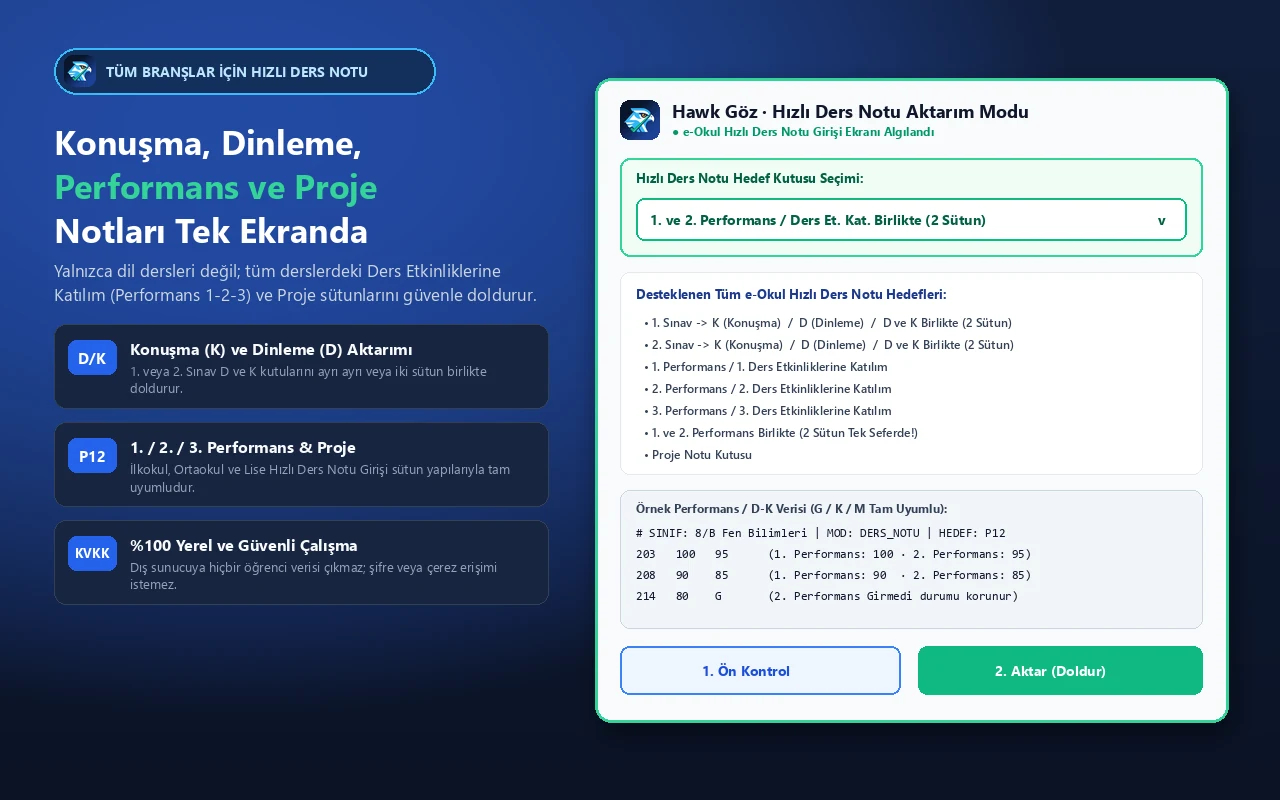
Transfers Speaking (K), Listening (D), Classroom Participation 1–3, and Project columns cleanly in one pass with 100% local processing.
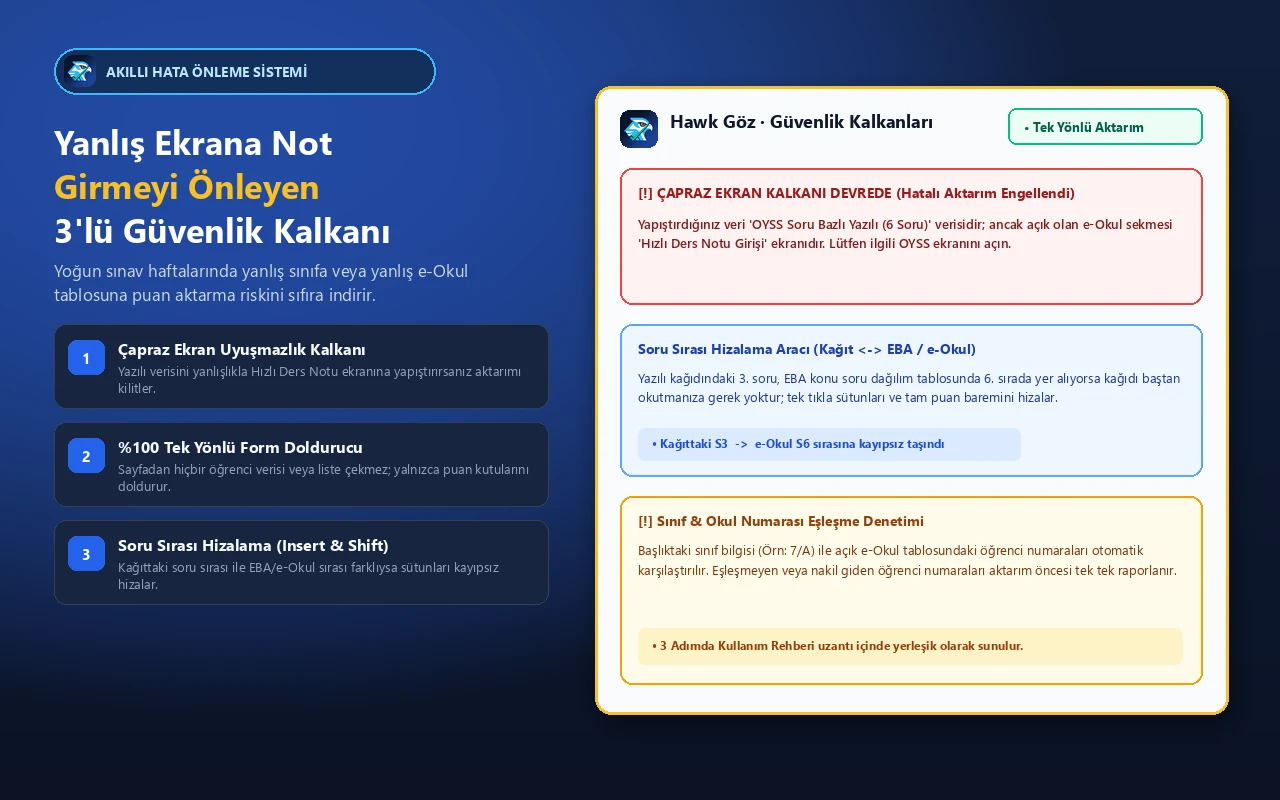
Cross-Screen Mismatch Shield, 100% One-Way Form Filler, and Question Order Alignment prevent pasting scores into the wrong class or screen.
Engineered to collect zero student personal data while empowering every teacher to work independently.
Student names and national ID numbers are never collected or stored on external databases. Your Excel archives and score tables remain strictly on your own PC.
Our Google-approved Chrome/Edge extension never reads or exports data out of e-Okul. It fills boxes only after pre-checking, and you always press Save yourself.
Verified ≥ 5.02:1 colour contrast, Voice Guide (Alt+S), Audio Eye-Check dictation, Night Focus Reading Ruler, and full mouse-free keyboard control.
In line with equal opportunity in education, Hawk Göz is permanently free—across all current and future modules—for blind and low-vision teachers.
“A lifesaver. Cut down my workload and it is free. Looking forward to future add-ons. Thank you to everyone behind it.”
Safe question-level OYSS and speaking score entry with mandatory pre-check shields via Chrome extension.
Watch on YouTube 07:37 · PDF & Speaking · EN SubsBatch score reading from teacher-marked PDFs, 4-way cross-validation, and single-page A4 Excel export.
Watch on YouTube 01:35 · Phone Camera · EN SubsUse your phone browser over local Wi-Fi as a fast pre-graded score scanner—zero mobile app needed.
Watch on YouTubeNo. The teacher personally evaluates every exam paper and writes every score. Hawk Göz strictly reads pre-graded scores already written by the teacher on exam papers or rubric sheets, checks arithmetic and alignment, creates a single-page Excel archive, and speeds up safe one-way transfer.
The two components work together: the Windows Desktop App (Microsoft Store) reads your pre-graded scores from multi-page PDFs or your phone camera (/cam) and builds your Excel archive, while our Browser Extension (Chrome Web Store for Chrome, Opera, Brave, and Yandex Browser; Microsoft Edge Add-ons directly for Microsoft Edge) places those copied scores into MEB e-Okul OYSS or Quick Entry boxes via 100% one-way transfer.
Never. The extension is strictly 100% one-way and never scrapes or pulls student names, national IDs, or class rosters out of e-Okul. In written exam mode only cropped student number and score strips are processed, live camera paper photos are never saved to disk, and final Save confirmation always belongs to the teacher.
Open-ended written exams (1–50 questions, OYSS), Speaking and Listening assessment scales, (+/-) Classroom Participation (Performance 1–3) sheets, and Project score sheets are supported, along with official G (Absent), K (Cheating), and M (Exempt) status codes.
There is no mobile app to download from the App Store or Google Play. When your phone and PC share the same local Wi-Fi or mobile hotspot, open the local /cam address in your phone browser to scan pre-graded papers with instant audio feedback—or batch-scan multi-page PDFs directly from your school copier.
Yes. Once all scores pass 4-way cross-checking (question sum vs. paper total, maximum-score bounds, blank flags, and roster alignment), Hawk Göz saves a formula-driven, signature-ready single-page A4 Excel (.xlsx) archive locally on your computer.
You never need to re-scan your papers. Use the built-in Question Order Alignment tool to map columns cleanly to the e-Okul question structure, while the Cross-Screen Mismatch Shield blocks accidental transfers to the wrong screen.
The Hawk Göz Chrome/Edge extension conforms to W3C WCAG 2.1 Level AA and EN 301 549, offering Voice Guide (Alt+S), Audio Eye-Check dictation, a Night Focus Reading Ruler, and 100% keyboard navigation. As our social responsibility commitment, Hawk Göz is permanently free with all current and future modules for blind and low-vision teachers. Contact: [email protected].
Install the Microsoft Store desktop app and the Google-approved Chrome/Edge extension for free today—and finish while your tea is still warm.
Google Chrome, Opera, Brave, and Yandex Browser users can install in one click from the Chrome Web Store; Microsoft Edge users can install directly from Microsoft Edge Add-ons.